Job Management App for Mobile Engineers
The App That Makes Every Job Easier in the Field.
- Live job queues on the phone
- One-tap job start and status updates
- Personalised mobile job board
- Instant updates back to the office
Jobs, digital forms, photos, signatures, offline mode and office sync in one mobile app engineers will actually use. Available on iOS and Android.
- Works offline on site
- Status updates from the field
- Real-time sync with the office
Everything Your Mobile Team Needs in One App.
Less paperwork and fewer check-in calls. A clear app that helps engineers finish the job properly and keeps the office up to date.
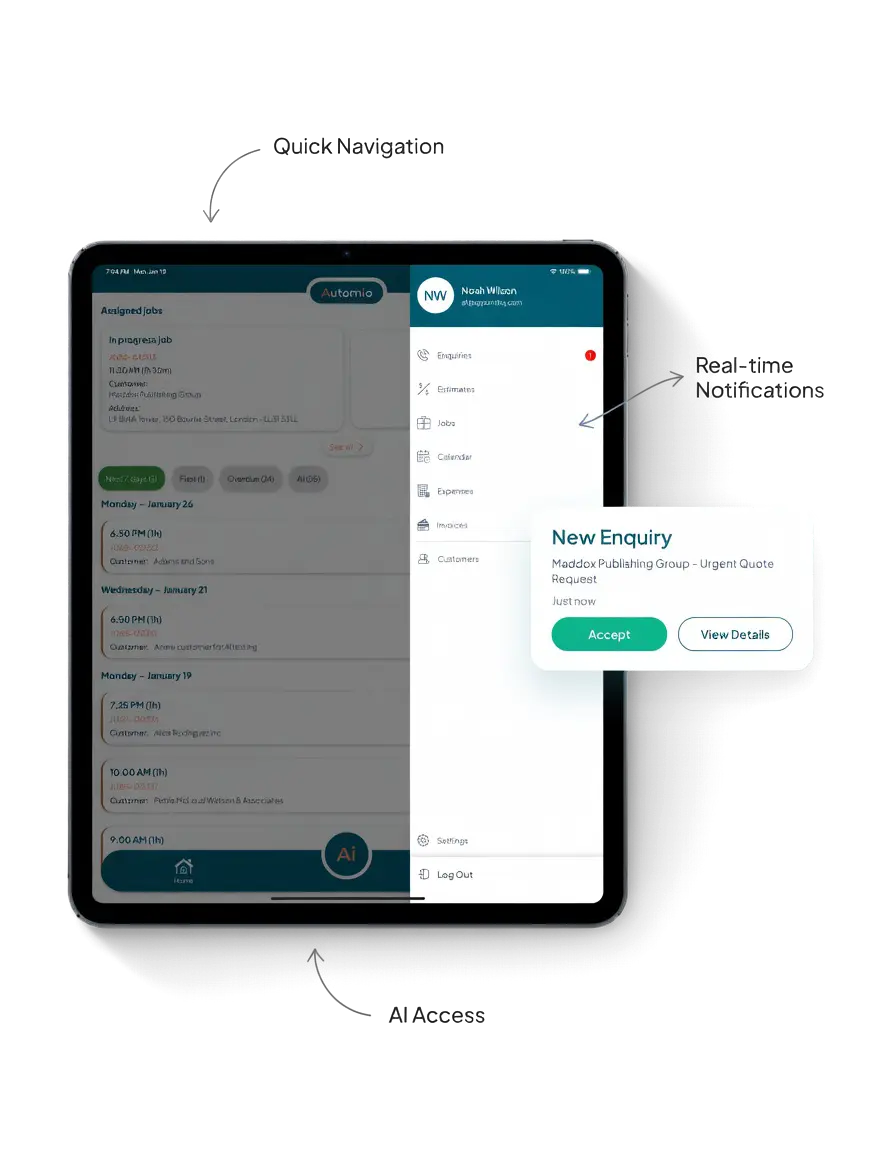
Job Board and Scheduling
See the day’s work at a glance. Open the next job, update status and keep the schedule under control from the phone.
- Live job queues
- One-tap job start
- Personalised board
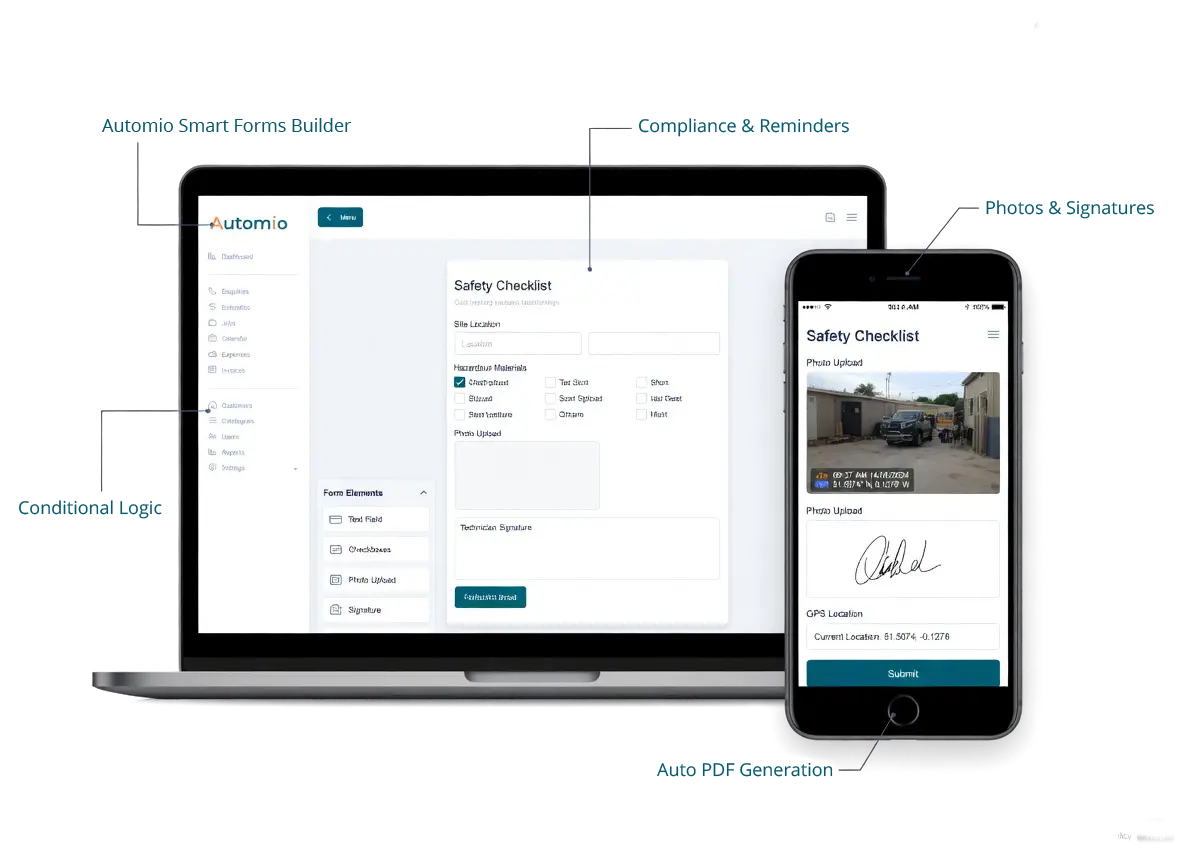
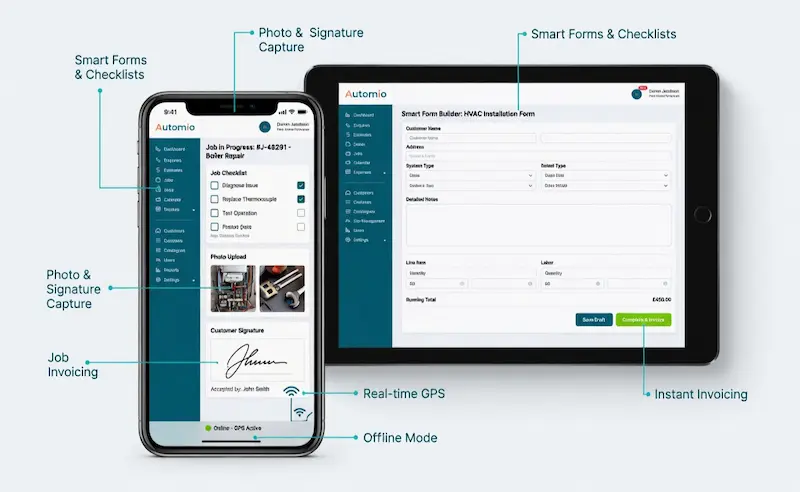
Digital Forms and Checklists
Complete safety checks, service reports and job forms on the phone. Fields can adapt to the type of work.
- Structured digital forms
- Conditional fields
- Saved against the job
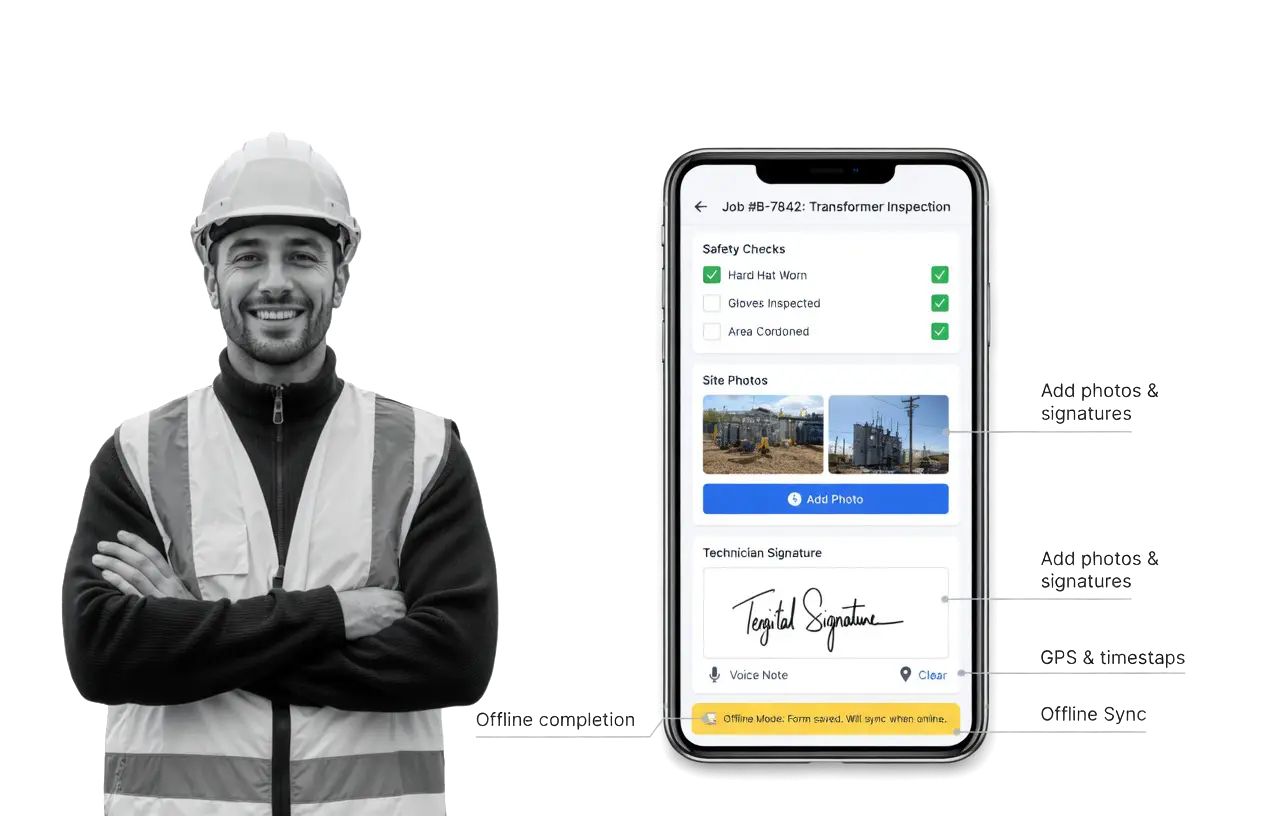
Photo Evidence Capture
Take photos on site and keep them on the job record. Useful for before and after shots, issues found and proof of work.
- One-tap camera
- Photos on the job
- Sync to the office
Signatures and On-Site Invoicing
Capture customer signatures on the spot and send invoices from the completed visit, so admin is not waiting until everyone is back at the desk.
- Digital signatures
- Invoice from the job
- Cleaner close-out
Office and Team Updates
Keep the office and field aligned with job notes, status changes and clear updates, without constant phone tag.
- Status back to the office
- Notes on the job
- Fewer check-in calls
Offline Mode
Keep working when signal is poor. Open jobs, complete forms and capture notes offline, then sync when the connection returns.
- Complete jobs offline
- Offline form completion
- Sync on reconnect
From Arrival to Completion in One Flow.
Start the job, record the work, capture evidence and close it out. The office sees progress through status updates from the field.
One-Tap Job Start
Open the job, mark that work has started and get customer notes, history and required details ready on the screen.
Parts and Materials Logging
Record parts and materials against the job so the office can see usage without chasing paper notes later.
Job Completion Checklist
Finish with final photos, signatures and a clear close-out so the visit is complete before you leave site.
Replace Clipboards with Digital Forms.
Digital forms guide engineers through the information the job needs. Checklists, service notes and compliance details stay on the record instead of in a paper pack in the van.
That is better for technicians on site and clearer for the office when they need to follow up, invoice or review what was done.
Job Tracking from the Phone.
See where each job stands and send status updates with one tap. The office and the field stay aligned without constant calls asking what is finished and what is next.
Owners get a clearer day. Office staff can plan the next visit with better information. Engineers spend less time explaining progress over the phone.
Field Status the Office Can Trust.
Mobile engineer tracking in Automio is built around status updates from technicians while they are on route, on site or finishing work. The office can see who is available and what is in progress, without live location tracking.
That keeps dispatch practical and keeps field teams comfortable using the app every day.
Customer Alerts During the Job.
Customer alerts help keep clients informed when work is booked, moving or complete. That means fewer “where are you?” calls and a clearer experience for the customer.
The office spends less time repeating the same update, and engineers are not interrupted as often for status questions.
Field app
Mobile App for Field Teams.
Power in their pocket. Your team can view schedules, update job status, and capture customer signatures, all from their mobile device.
- Works offline on site
- Photos, notes and signatures
- No paperwork. No delays.
No credit card. No commitment. Get full instant access.


Fast Setup, Simple to Use.
Trusted by teams who manage thousands of jobs every month. Available on iOS and Android. Log in, take the day’s jobs and get moving without a long training process.
Owners get a connected field system. Office staff get clearer updates. Technicians get an app that is practical on site.

Explore More App Features.
Go deeper into the mobile tools your field team will use every day.
Mobile Engineer App
Built for technicians handling the day’s visits on the phone.
Client Communication
Keep conversation history linked to the customer and the job.
Benefits To Using Automio In Your Trades Business.
Win More Work
Responding quickly and professionally helps you stand out and secure more jobs.
Stay Organised
No more missed messages or forgotten follow-ups. Everything is tracked and easy to manage.
Save Time
Automated tools and templates cut down on admin so you can focus on the job.
Look Professional
Customers get fast, clear communication that builds trust and confidence in your service.