CAFM Software
Manage Buildings, Assets, Maintenance & More in a Centralised System.
- Run planned visits and reactive callouts on one board
- Create estimates for labour, materials and follow-up work
- Give engineers the job on their phone - works offline
- Keep site notes, history and invoices on the same record
CAFM software here means computer-aided facilities work for contractors: the office system plus a standalone field app. Not an enterprise asset register, not a housing CAFM suite, not a client portal.
- Planned visits next to reactive jobs.
- Create estimates and invoices from the job.
- No Setup. No Commitment.
Get Organised in Under 10 Minutes.
Start A Free Trial
Full access for your office and the field team app.
No card required. Cancel anytime.
CAFM Software Built for Facilities Contractors
People search “CAFM” when they need planned maintenance, reactive repairs and a record the office can open. Large CAFM platforms add modules most contractors never use.
Automio’s CAFM software is the job management system plus the field service app. The estimate, the visit and the invoice sit on one job.
See also facilities management software and planned maintenance. Asset management is coming later - it is not claimed on this page.
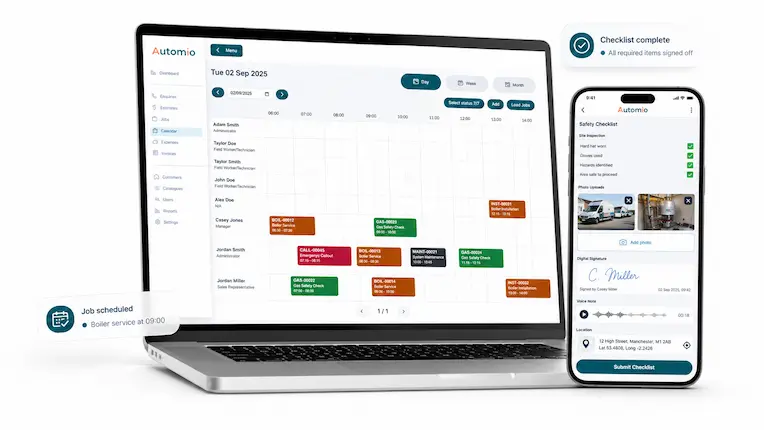
Office Admin. Field App. One Facilities Job.
The office runs the day. Engineers update the visit on the mobile engineer app - even offline - then pick up the next instruction.
Easy Admin for the Office
Job management, the board, site notes and invoices in one system.
Standalone App for Engineers
Update the job on the phone. It works remotely and offline. No training course before the first visit.
Simple Enough for the Whole Team
If they can use a phone, they can close a facilities visit.
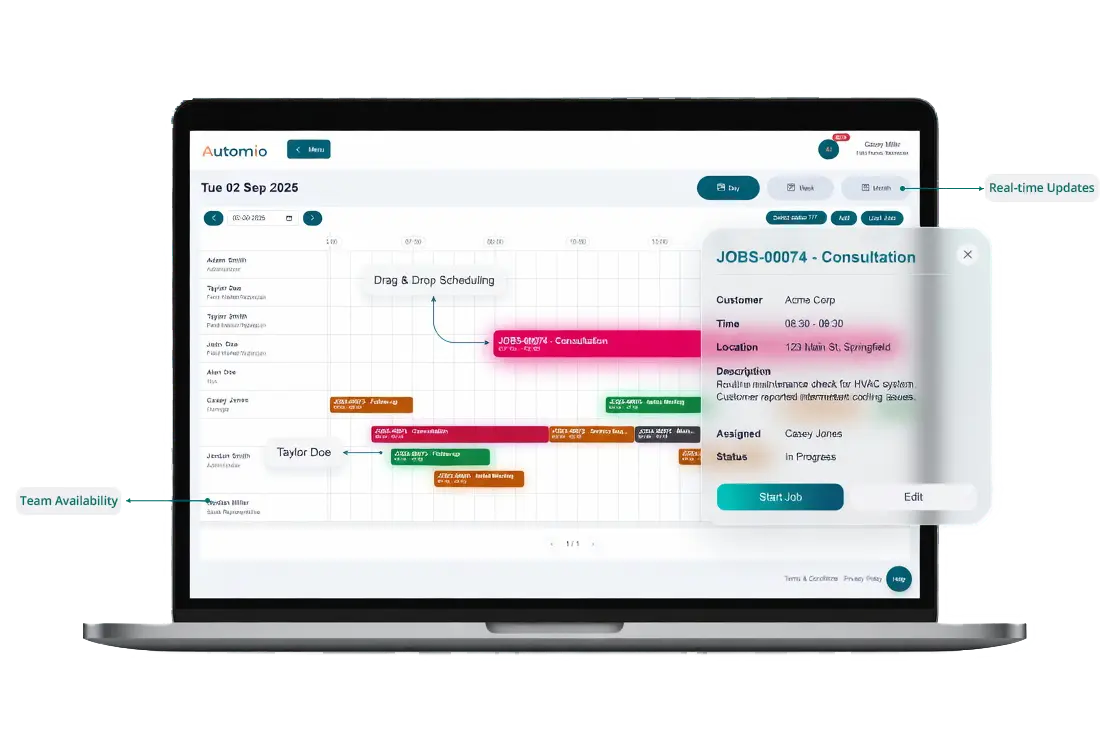
Planned Visits and Reactive Callouts on One Board
CAFM searches usually mean PPM plus reactive work. Planned maintenance keeps recurring visits visible. The board takes the callout when a pump fails between services.
Job history stores what was done last time. That is visit history on the job - not a full asset register.
Customer communication and customer alerts stay on the same record when a date moves.
What This CAFM Page Actually Includes
The tools facilities contractors use. No invented CAFM modules.
Enquiries to Booked Work
Turn a site enquiry into a job on the same system.
Scheduling
Book PPM and reactive work. Engineers see it on the scheduling app.
Job Tracking
Track the job from the office and on the job tracking app.
Forms on Site
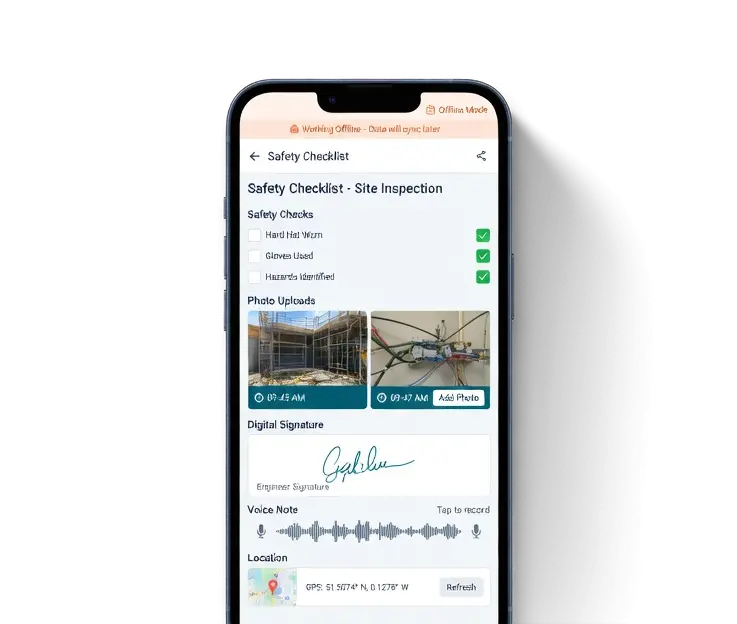
Complete the visit with smart forms and mobile forms - even offline.
Costing and Invoices
Job costing for labour and parts. Invoice from the completed visit.
Office Reporting
Dashboard reporting shows what moved. Not a legal-compliance CAFM.
Why facilities contractors switch
One System for the Office. One App for the Field.
CAFM software on this page means the estimate, the visit and the invoice on one job. The office sees what is booked. The engineer sees what is next.
The admin system stays simple. The field app is standalone - remote, offline, and clear enough that anyone on the team can update a visit.
See Why AutomioDownload the Automio Field Service App
The field service app is on the Apple App Store and Google Play. Facilities engineers update jobs, capture the visit and receive the next instruction from their phone.


Computer Aided Facilities Management Without the Bloat
If you searched CAFM because you run planned and reactive work across sites, this is the contractor version: office admin, a field app, history on the job, invoices from the visit.
It is not IWMS. It is not a helpdesk for a corporate estates team. CMMS and service management cover related office tools. Workforce management keeps the crew on one day list.
Affordable CAFM Software for Contractors
Professional admin and a mobile app without enterprise-level pricing. Try CAFM software free - no card, no setup, cancel anytime.
Benefits To Using Automio In Your Trades Business.
Win More Work
Responding quickly and professionally helps you stand out and secure more jobs.
Stay Organised
No more missed messages or forgotten follow-ups. Everything is tracked and easy to manage.
Save Time
Automated tools and templates cut down on admin so you can focus on the job.
Look Professional
Customers get fast, clear communication that builds trust and confidence in your service.