AI-Powered Scheduling
Smarter Scheduling for Busy Field Teams.
- Use AI voice prompts on the go
- Create estimates, jobs and invoices hands-free
- Re-schedule quickly when plans change
- Keep your team and daily workload organised
Automio's AI-powered scheduling tools help you manage your team's workload, make changes to the day's schedule and give field staff a faster way to update jobs while they are working.
- Easy to set up and use.
- Built for trade and field service businesses.
- No Card Required. Cancel Anytime.
Manage Your Schedule With Less Manual Work
Keeping a busy field service team organised can mean making changes throughout the day. Jobs move, customers need different times and urgent work can appear with little notice.
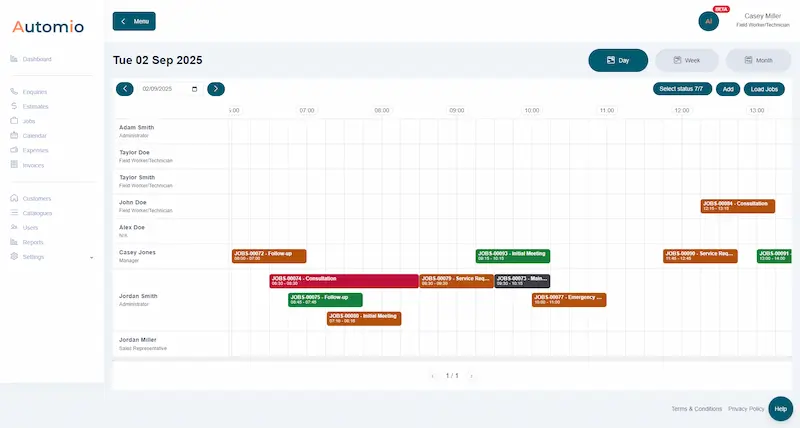
Automio gives your office a central place to manage jobs and schedules, helping you see what is planned and make changes as your workload develops.
Combine job scheduling with job management to keep customer information, job details and team schedules connected.
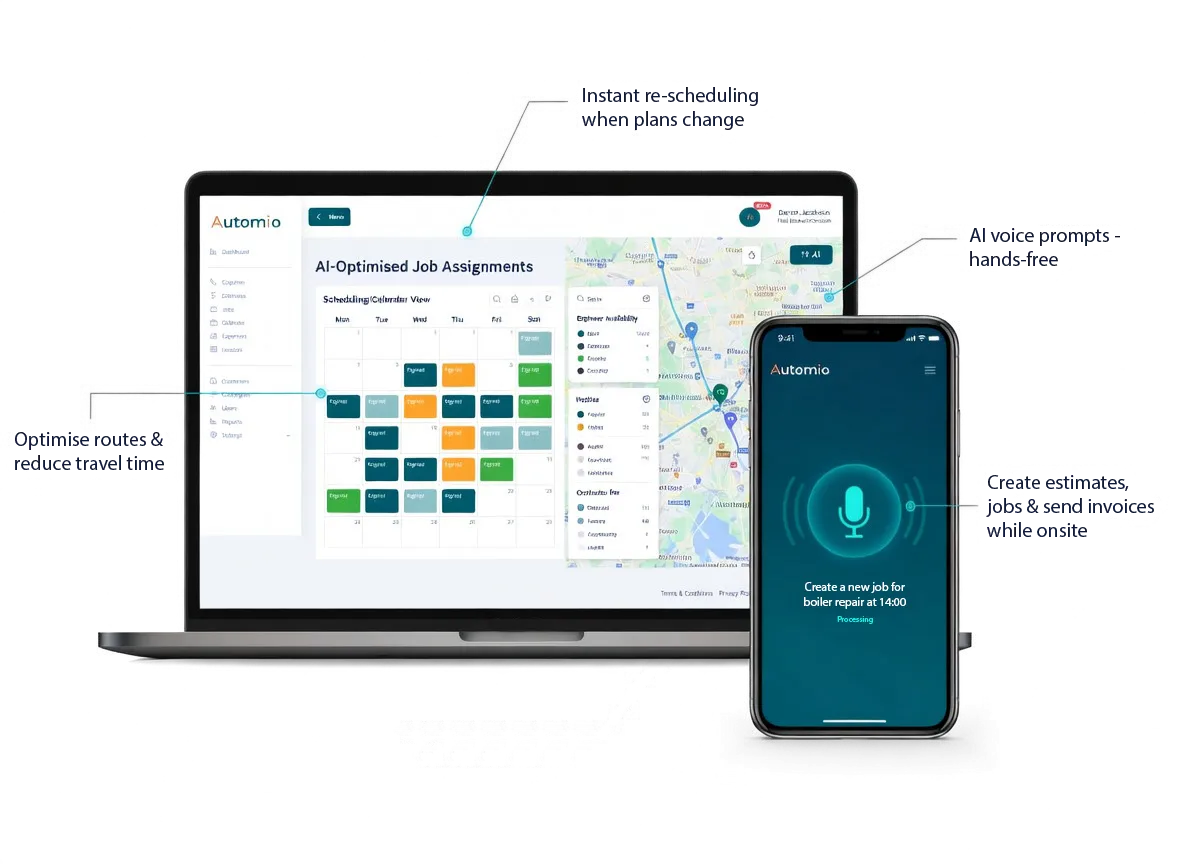
AI Voice Prompts for Hands-Free Job Updates
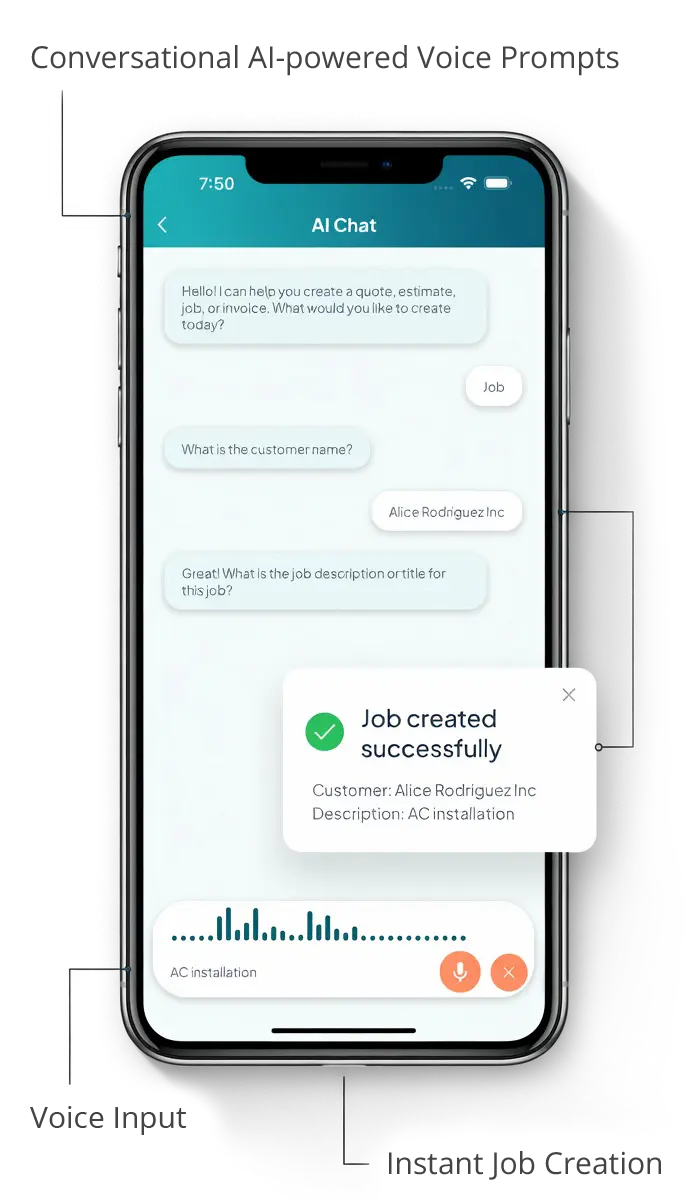
Field staff can use AI voice prompts through the Automio mobile app to carry out tasks such as creating estimates, starting jobs, updating job information and sending invoices without having to type everything manually.
This gives your team a faster way to keep job information up to date while they are on site, helping reduce the amount of administration that needs to be completed later.
See how Automio brings office and field teams together with the Automio field service app.
Keep Your Schedule Up to Date
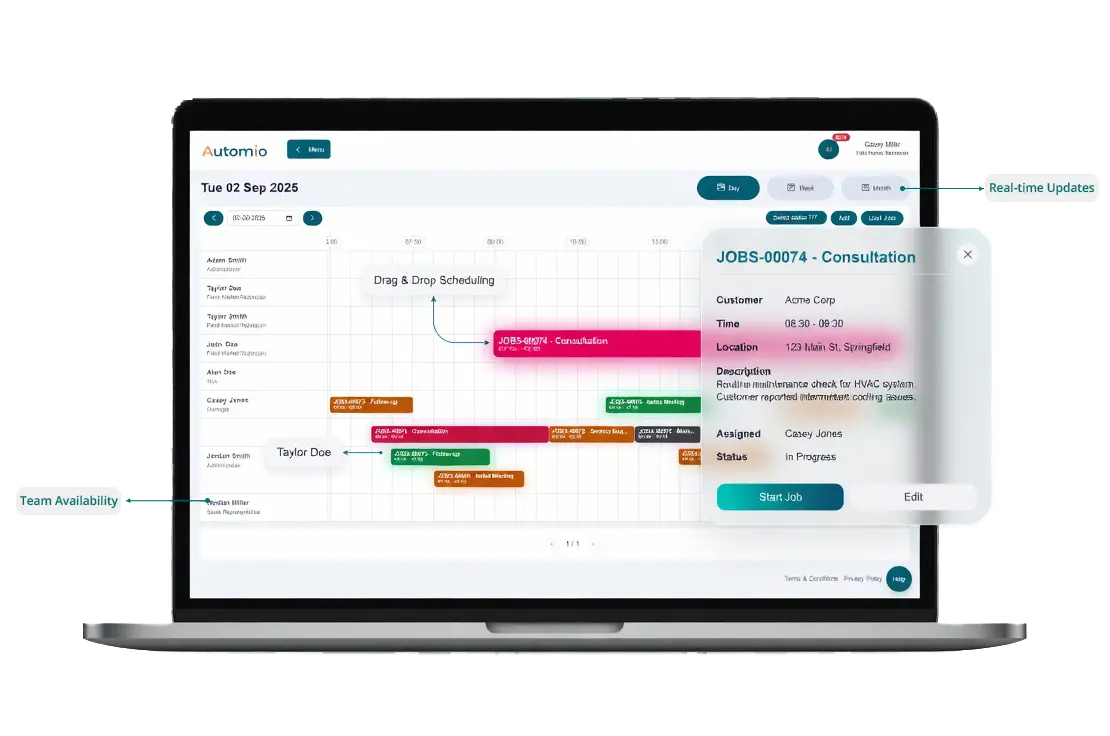
Plans can change quickly when you manage field service work. A job may take longer than expected, a customer may need to move an appointment or an urgent job may need to be added to the day's workload.
Automio makes it easier to adjust your schedule when things change, giving your office a clear view of upcoming work and helping your team stay informed.
Use the drag-and-drop scheduling tools to make changes quickly and keep jobs moving through your workflow.
Plan Jobs Around Your Team
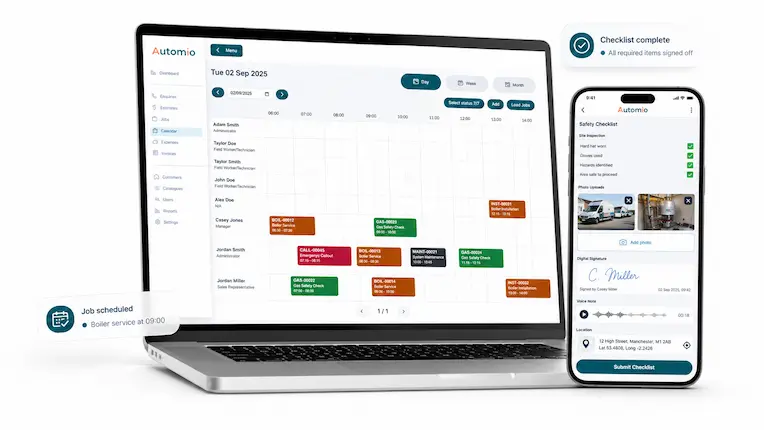
Good scheduling means knowing what work needs to be completed and having a clear view of where each job sits in the day's workload.
Automio helps you organise jobs around your available team and keep the schedule easy to manage as new work comes in or existing appointments change.
For businesses managing regular service work, you can also use planned maintenance software to organise recurring jobs and keep upcoming work visible.
Get a Clearer View of Your Team's Workload
As your business grows, it becomes increasingly important to understand how much work is coming in, what has been scheduled and how your team is performing.
Automio keeps your operational information together so you can review activity across your jobs and make better decisions about your workload and resources.
Use Business Insights and dashboard reporting to get a clearer view of the activity moving through your business.
Field teams
Keep Your Field Team Connected
Give field staff access to jobs, schedules, customer information and AI voice prompts from the Automio mobile app.
Benefits To Using Automio In Your Trades Business.
Win More Work
Responding quickly and professionally helps you stand out and secure more jobs.
Stay Organised
No more missed messages or forgotten follow-ups. Everything is tracked and easy to manage.
Save Time
Automated tools and templates cut down on admin so you can focus on the job.
Look Professional
Customers get fast, clear communication that builds trust and confidence in your service.